
01 · Before you start
Prepare your Mac and trigger.
Estrobo connects over Bluetooth to a compatible trigger. The flashes continue to receive commands through the trigger’s own radio system.
- System
- macOS 13 or later, on Apple Silicon or Intel.
- Bluetooth
- Available on the Mac, with permission granted to Estrobo.
- Trigger
- Built-in Bluetooth and a compatible BLE/GATT profile.
- Exclusive connection
- Quit Godox Flash or any other connected app; the trigger supports only one Bluetooth connection at a time.
Testing was performed with a Godox X3Pro for Sony and Godox AD400Pro II flashes.
02 · Install Estrobo
Drag Estrobo to Applications.
Download the official DMG, open it, and drag Estrobo to Applications. This version is signed with Developer ID and notarized by Apple, so you do not need Terminal or changes to your security settings to install it.
- 1Open the downloaded DMG.
macOS will mount a disk image containing Estrobo and a shortcut to Applications.
- 2Drag Estrobo to Applications.
Drag
estrobo.appto the Applications folder on your Mac. - 3Eject the disk image and open Estrobo.
Eject the installer, then open the app from Applications, Launchpad, or Spotlight.
- 4Grant Bluetooth access.
macOS will request permission the first time Estrobo needs it.
Verify the download manually (optional)
Also download SHA256SUMS and the manifest from the same release. Keep the DMG and those two files together in Downloads.
cd ~/Downloads
shasum -a 256 -c SHA256SUMS
Verification succeeds when both the DMG and manifest report OK.
03 · Set up groups
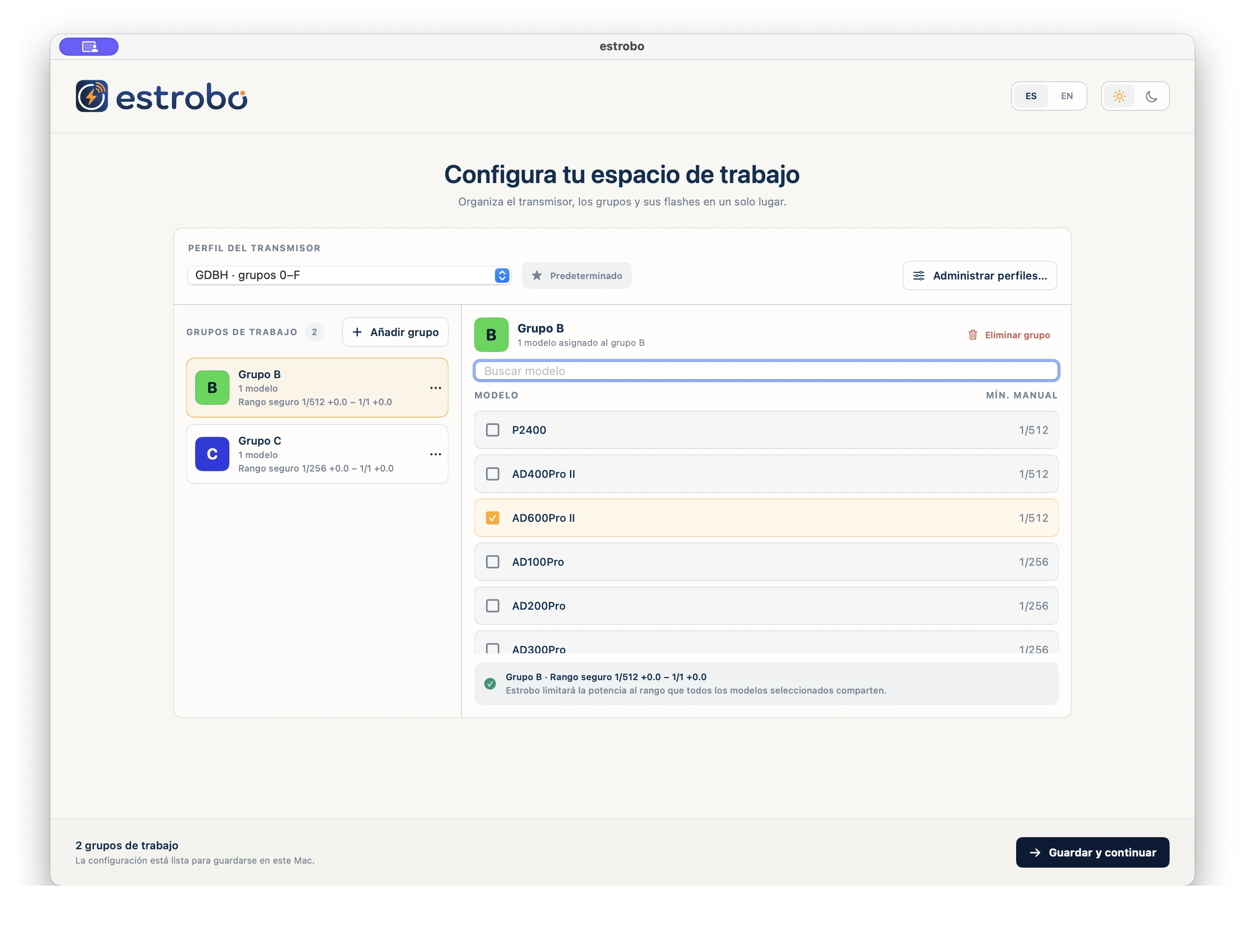
Define your workspace before connecting.
- Review the trigger’s group compatibility profile.
- Add the groups you actually use.
- Assign at least one flash model to each group.
- Check the common power range calculated by Estrobo.
- Save and continue.
The values shown are the local state Estrobo will send when it connects.
04 · Connect the trigger
Find, identify, and sync.
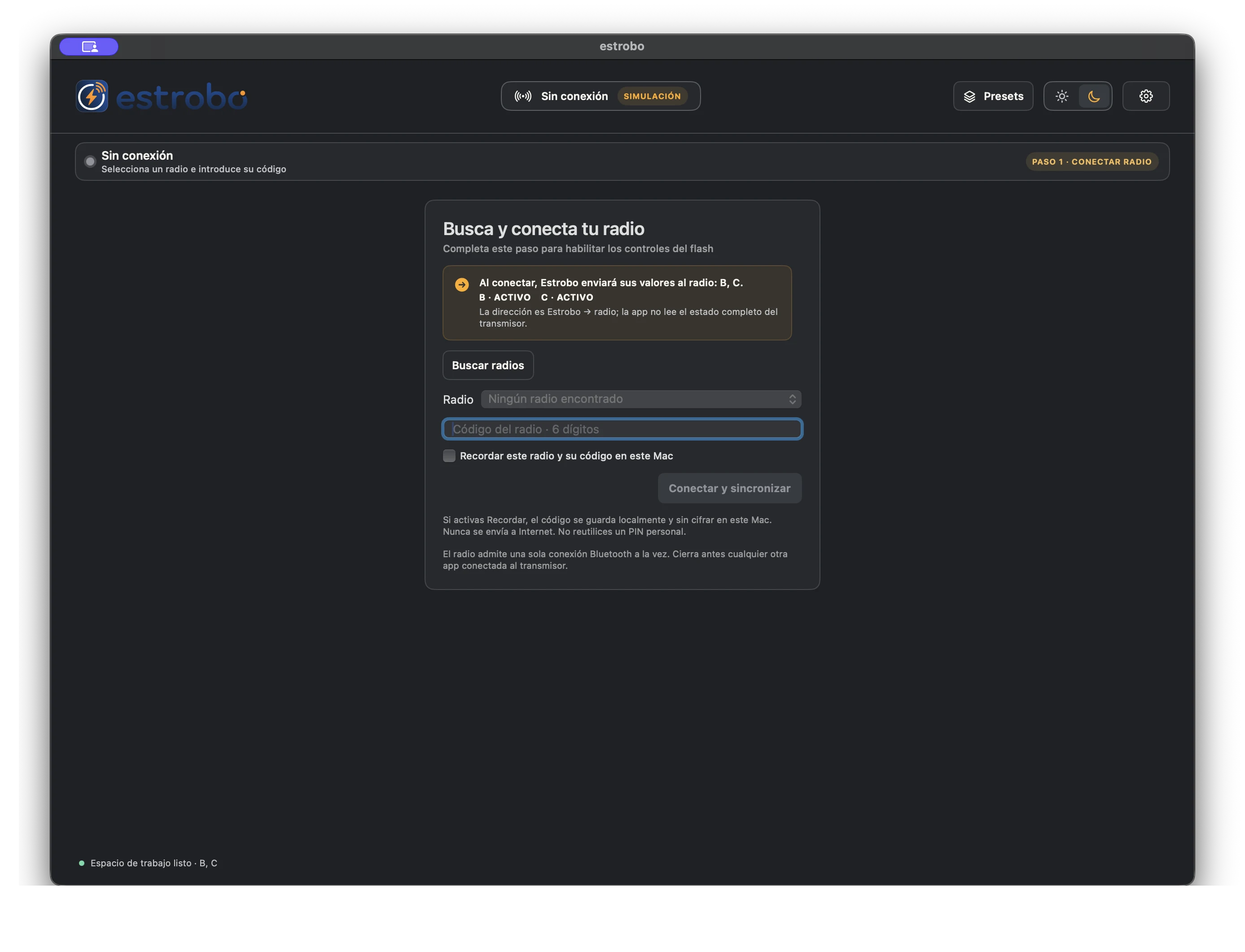
- Turn on Bluetooth on the trigger and quit any other connected app.
- Click Find triggers.
- Compare the name, signal strength, and UUID suffix before choosing.
- Enter the six-digit Radio Code.
- Turn on Remember only if you accept storing that code locally and unencrypted.
- Click Connect and sync and wait for the Ready status.
The Radio Code is a six-digit local PIN, not a strong credential. Do not reuse a personal PIN.
05 · Understand Sync
Sync applies. It does not import.
The trigger does not provide a complete snapshot that Estrobo can read. This is why the local state is the source of truth.
Writes the global state and configured groups from Estrobo to the trigger.
It does not read, import, or reconstruct the configuration already on the trigger.
Once authentication completes, Estrobo sends its local values. Clicking Sync later repeats that sequence even when no changes are pending.
06 · Adjust flashes
One state, three ways to work.
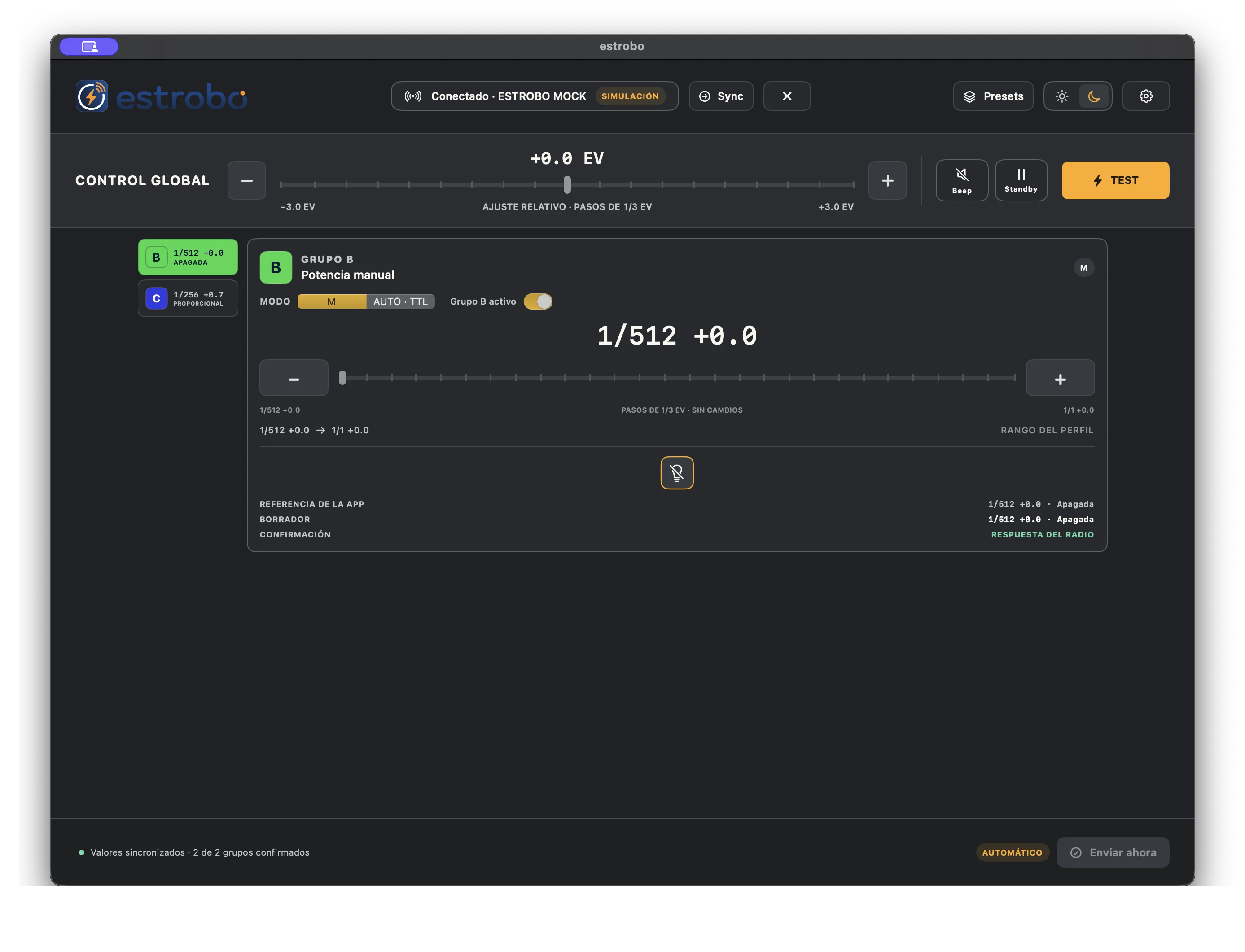
- M
- Manual power in 1/3 EV increments, within the common range of the assigned flashes.
- Auto · TTL
- TTL with neutral compensation; the physical result depends on the model and the scene.
- Modeling
- Off, proportional, or fixed, depending on the configured capabilities.
- Channels
- Direct comparison of the visible groups.
- Inspector
- One group at a time, with its reference, draft, and confirmation.
- Matrix
- Compact controls for reviewing several groups together.
Automatic or On Apply
Sends 700 ms after the last change. A slider sends only its final value when released.
Keeps the draft until you click Send now. Discard reverts only changes that have not been sent.
07 · Troubleshoot
Return to a known state.
macOS will not open Estrobo
Confirm that Estrobo is in Applications and that you downloaded it from the official release. If macOS cannot verify the developer, do not bypass the warning: delete that copy, verify the checksum, and download the official DMG again.
The trigger does not appear
Grant Bluetooth permission, quit other apps, move the trigger closer, and search again. Bluetooth alone is not enough: the BLE/GATT profile must be compatible.
The Radio Code fails
Check that it contains exactly six digits and that your Mac’s date and time are correct.
The trigger changed after connecting
This is expected: Estrobo applies its local state when the connection completes. Trigger → app import is not available.
The operation is in an uncertain state
Do not try to compensate from another app. Reconnect to the same UUID and follow the recovery flow until the complete scene is confirmed.
Still not working? See support and how to report it
